
How to deposit and withdraw GOG token
I. Guide to purchase GOG token on the Dymension
Requirements:
Keplr wallet with $Dym available
1. Visit the Dymension Portal at God of Gambling Rollapp
2. Connect your Keplr wallet
3. Select the amount of GOG you want to purchase and click the buy button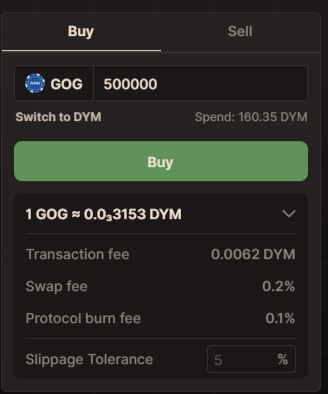
II. Guide to Deposit GOG from the Dymension network to the GOG network
1. Visit the Dymension Portal at God of Gambling Rollapp
2. Click on Deposit as shown in the image
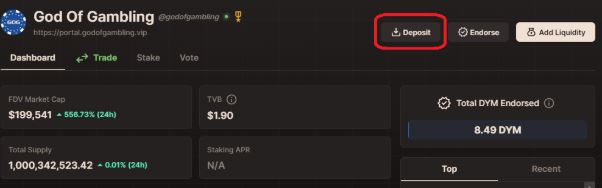
3. Choose the amount of GOG you wish to deposit
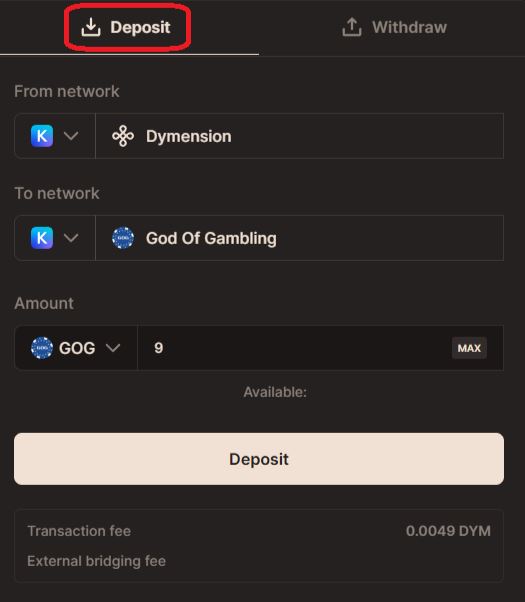
III. Guide to Withdraw GOG from the GOG network to the Dymension
1. Visit the Dymension Portal at God of Gambling Rollapp
2. Click on Deposit as shown in the image
3. Select Withdraw and choose the amount of GOG you desire to withdraw
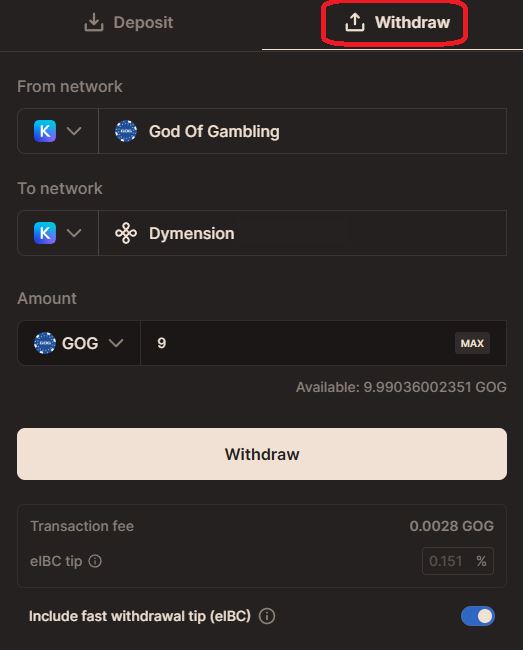
IV. Guide to add liquidity to GOG-DYM pool with attractive bonus rewards
Requirements:
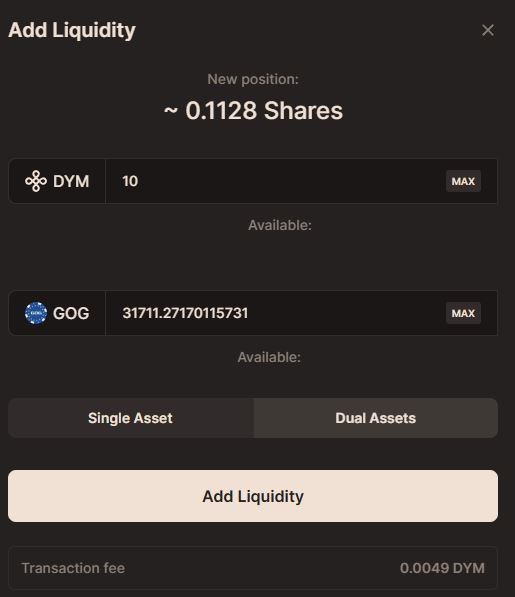
Just like any liquidity requirements on other networks, adding liquidity on the Dymension network also requires 50% of the amount in $GOG on the Dymension network and 50% in $DYM on the Dymension network
1. Access the GOG-DYM liquidity pool
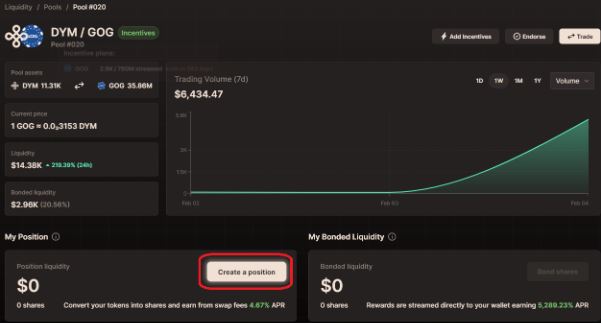
2. Add liquidity
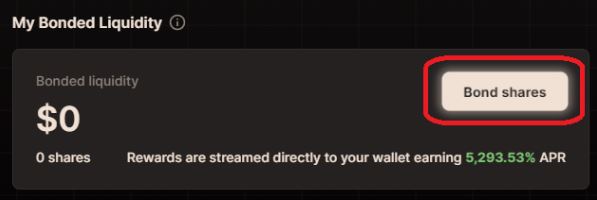
3. Continue to click Bond shares and click Bond liquidity
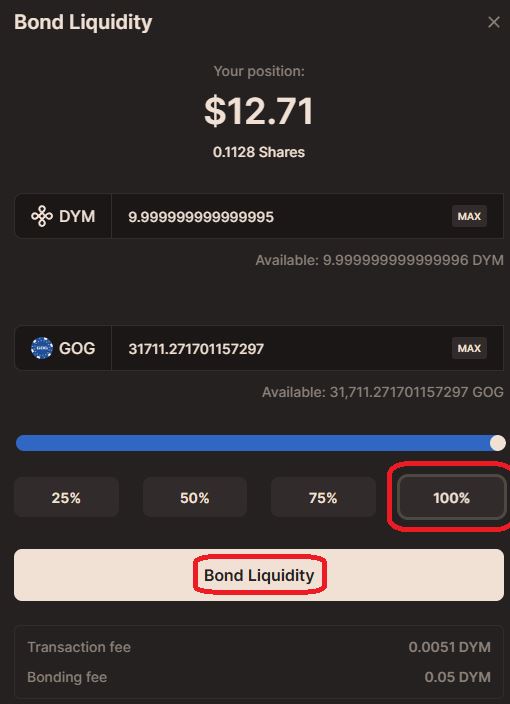
4. Final result
